Continuing Education
The DigitalDesk LearningSuite™ is an enterprise-class LMS designed with you in mind.

Manage all aspects of the CEU process. Calendar and manage events, track CEU's earned and create rich, interactive learning content.
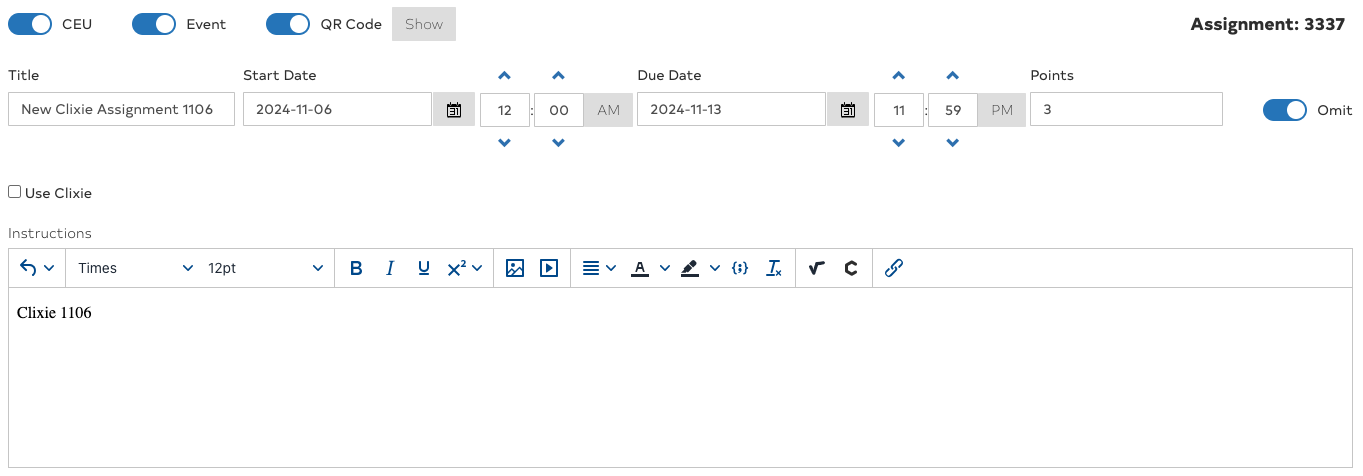
When creating a new assignment, the options for CEU, Event and QR Code. Use these toggles to enable the CEU features. Events can be in-person or remote. Generating a QR Code for the event allows you to automate the attendance record.
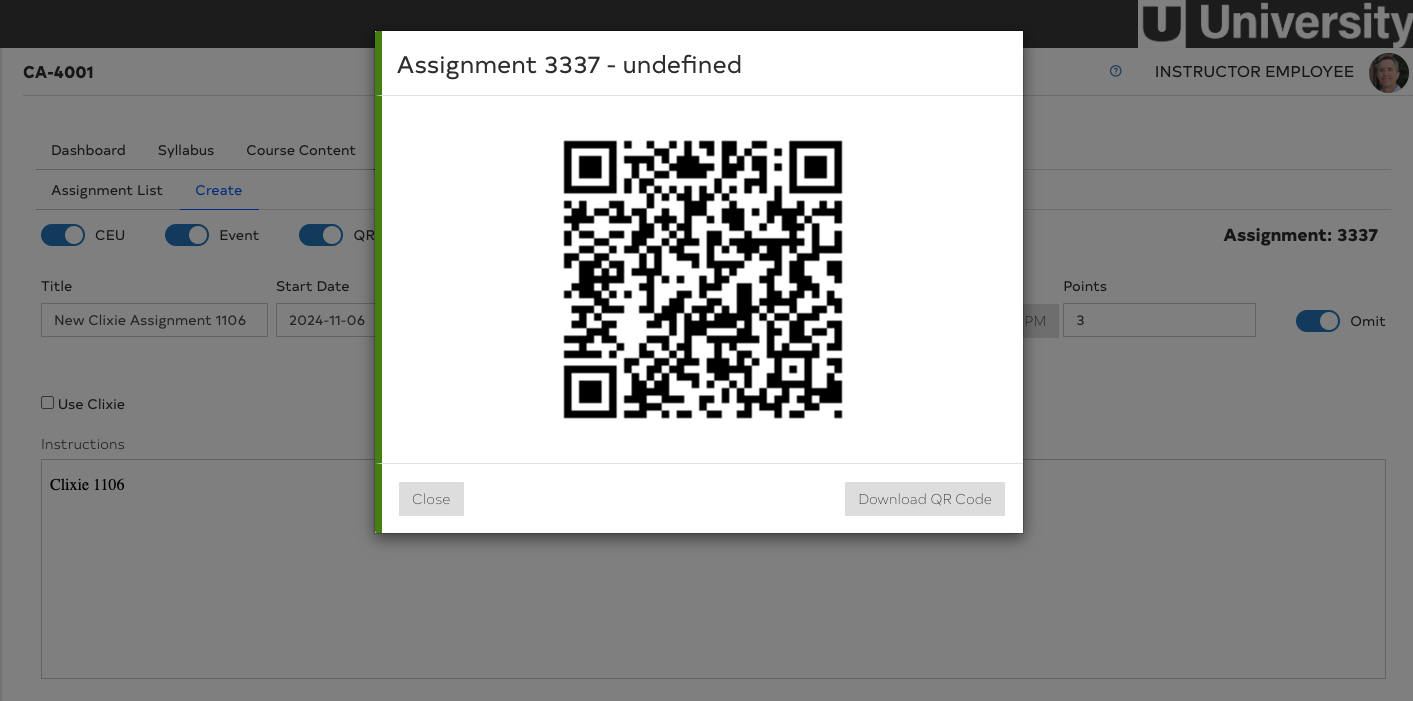
Generating a QR Code for an event, such as a Webinar or an in-person conference, simplifies the attendance process. Simnply share the QR Code in the last slide of a presentation or print on a poster board for in-person events. Registered participants use their login portal to scan the QR Code to confirm attendance.
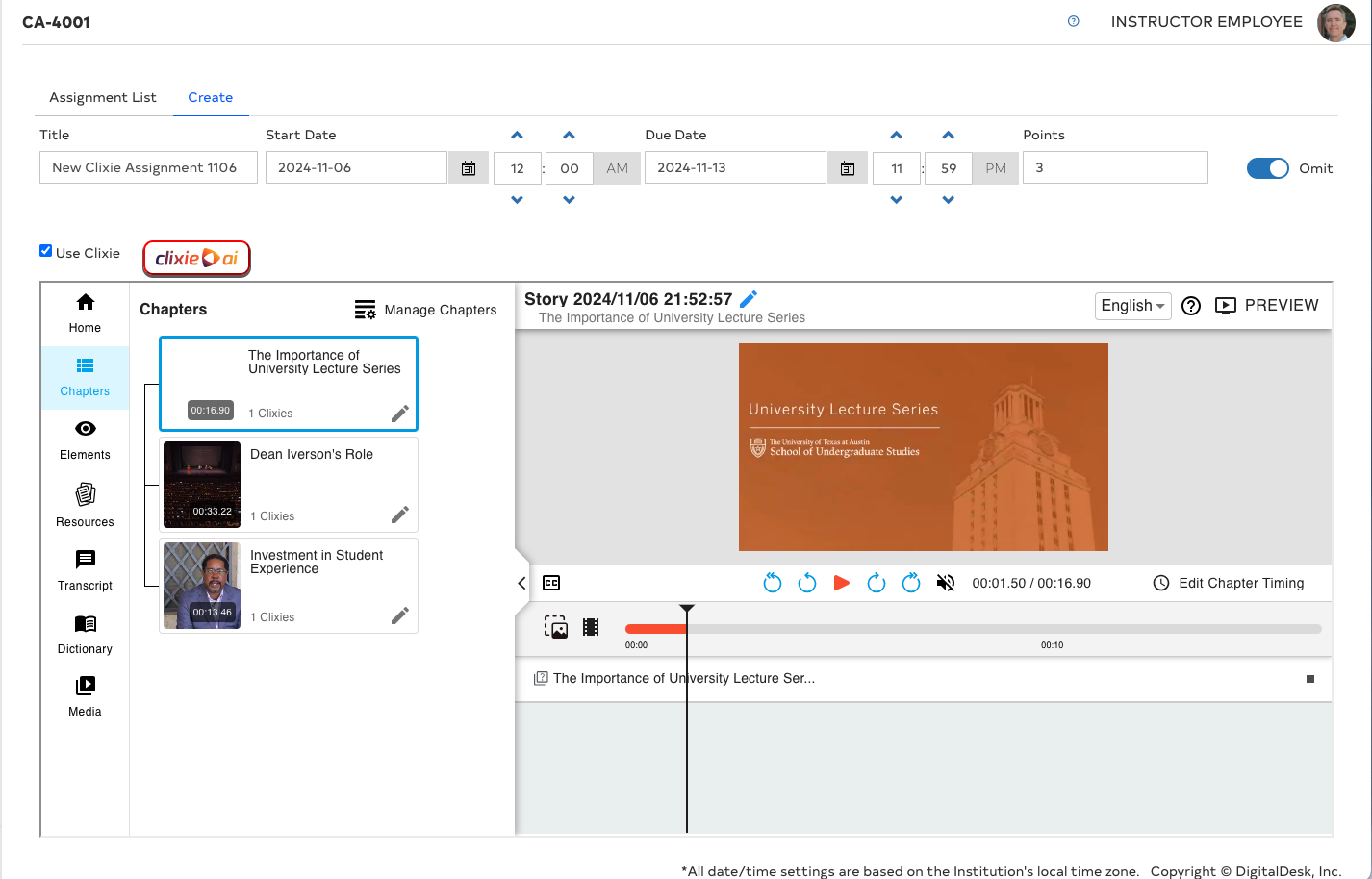
The integration of Clixie AI into DigitalDesk provides a transformative learning experience. Using AI technology, training videos, webinars or other video content is uploaded to the Clixie server where the audio is transcribed to its original language or a selected language. The video is automatically split into chapters where the chapter content is analyzed and quizzes are inserted between chapters, providing an interactive learning and assessing approach. Quiz items can be modified to make sure they conform to the content. Results of quizzes are automatically stored in the DigitalDesk system for confirmation of scores.